Set Piece Routines
Corners, free kicks and throw-ins decide a large share of tight matches, yet most teams still store their routines as phone photos of a whiteboard. Coach Platform now has a dedicated Set pieces workspace to design, animate and share them with your whole staff.
Why set pieces need their own space
A set piece routine is not a training exercise. It has no duration, no RPE and no place in your weekly load numbers. What it does have is precise timing: who moves first, who delays, where the ball lands and when. Squeezing that into a generic drill sheet loses exactly the detail that makes a routine work.
That is why routines live in their own module. They never count in load calculations, they are shared with every coach on the staff, and they follow the same permissions as your Game model. If you have written set piece principles in your Game model, each routine can link straight back to the principle it puts into practice.
A dashboard that shows where you stand
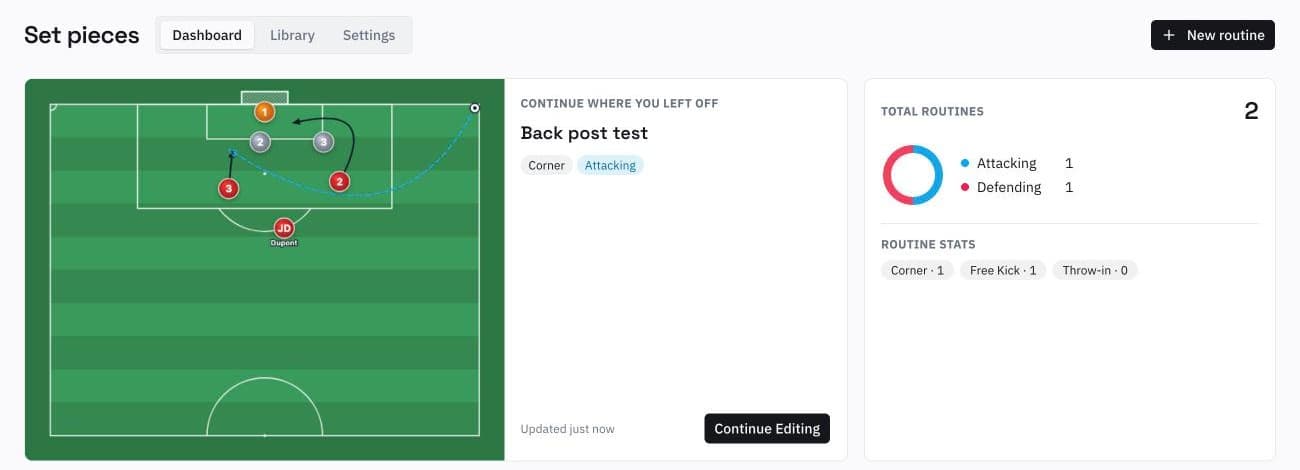
The dashboard opens on the routine you were last working on, with a live thumbnail and a button to jump straight back in. Next to it, a quick count shows how your routines split between attacking and defending, and across corners, free kicks and throw-ins. A gap is obvious at a glance: if you have six attacking corners and no defensive free kick, you know what to prepare next.
Each coach can also pin up to eight routines and see the ones they viewed recently. Pins and recent views are personal, so the goalkeeper coach and the head coach each keep their own shortlist.
Building a routine in four steps
Set the picture
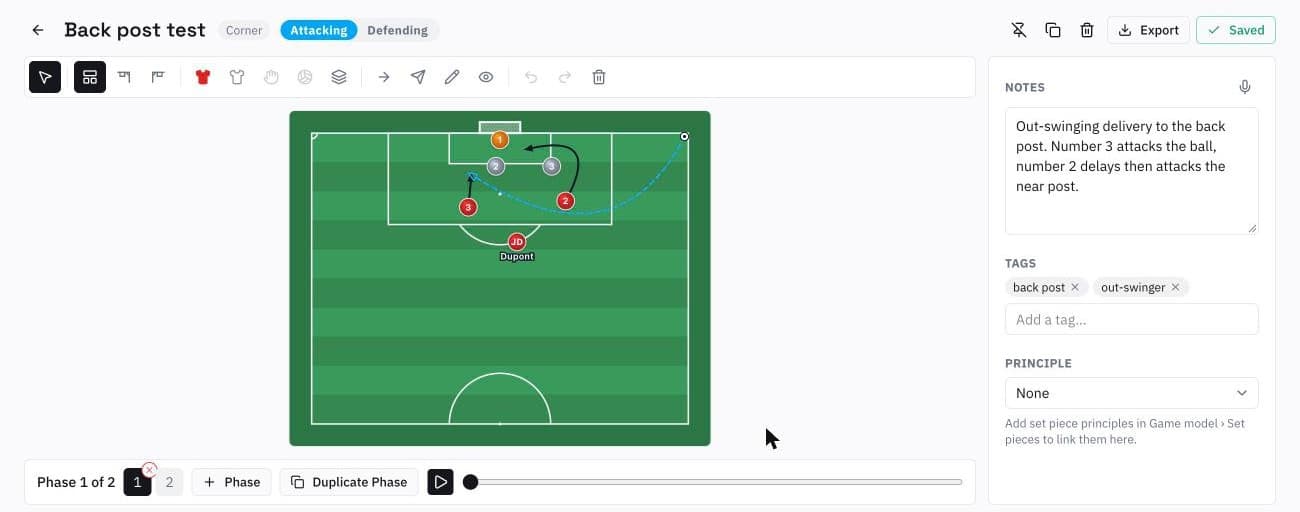
Pick the view that matches how players will see the routine: half pitch, or a corner view from the right or left flag. Switching view only reframes the pitch, so you can draw once and present it from whichever angle reads best.
Place the starting positions
Add attackers, defenders, the goalkeeper and the ball, then drag them into place. Give players their shirt number or initials and a short name so nobody has to guess who "number 3" is on the day.
Draw the runs and the delivery
A run arrow goes from the player to the space they attack. A ball arrow starts from the ball automatically. Curve any arrow by dragging its middle handle, and mark the delivery as a high or low ball so the type of cross is part of the drawing, not a note underneath it.
Time it, phase by phase
Each run has its own speed and start delay, which is how you show a decoy who waits half a second before attacking the near post. Add a phase and everyone starts from the end of their arrow. Press Play and the whole routine animates in sequence.
The side panel holds the coaching detail: written notes (you can dictate them with the microphone), tags such as "back post" or "out-swinger", and the optional link to a Game model principle. Everything saves automatically. If you use the same zonal setup in several routines, save it once as a formation and load it wherever you need it.
A library you can actually search
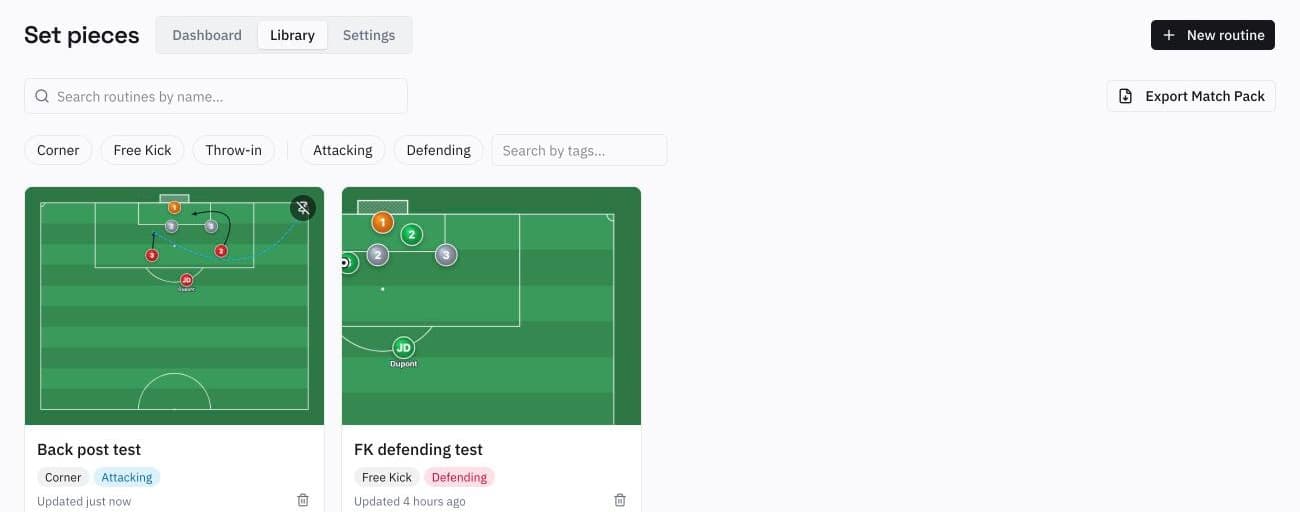
Every routine appears in the Library as a card with its thumbnail. Search by name, filter by category and by attacking or defending, and narrow down by tag. When the opponent defends zonally and is weak at the back post, finding every back post routine you own takes two clicks.
From the library to the dressing room: the Match Pack
The routines only matter if players know them on match day. Any routine can be exported on its own as a PNG of the current phase, an animated GIF, or a PDF with one image per phase plus notes and tags.
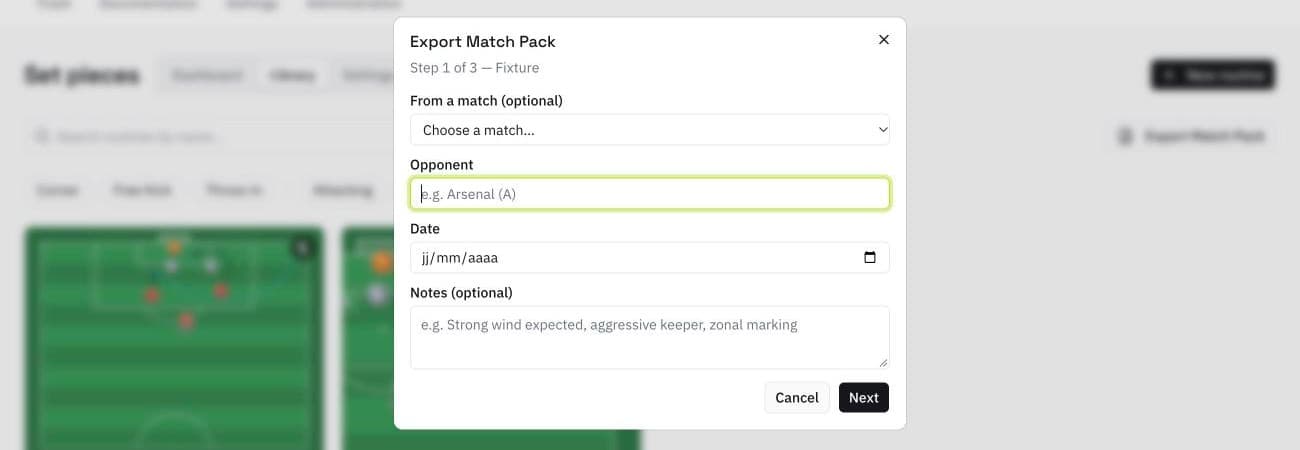
The Match Pack goes further. Enter the opponent and the date, or pick a match you already created, choose up to ten routines in the order you want, and download either a PDF with a cover page and one page per routine, or a ZIP with an animated GIF for each one. Your club logo is printed on every export.
Thursday: pick the four corners and two free kicks you will use against Saturday's opponent.
Friday: walk through them in training, then send the GIF pack to the players' group chat.
Saturday: the printed PDF sits in the dressing room and on the bench for the staff.
Where it fits in your workflow
Set pieces connects to the rest of the platform. Principles come from the Game model, match packs can be built from a fixture in Matches, and observations from scouting the opponent tell you which routines to pick. The result is one place where set pieces are designed, stored and delivered, instead of a whiteboard photo that only one coach can find.
Coach Platform
Design, animate and export corners, free kicks and throw-ins for your whole staff. 7-day trial, no credit card.
Request free access